There are several ways to use a microphone as control input for Max and it’s a very handy strategy for getting immediate and performable control of a patch. There are many different ways you can use a microphone to control your patch and there are some pretty nifty pieces of commercial software out there that do this too. For example, the dehumanizer plugin by Krotos is very sophisticated multifaceted approach where incoming sound is analysed and matched to banks of sounds to create a very responsive Foley-like instrument. Guitar pedal or channel strip are other familiar modes. Another model is “the mouth“, a collaboration between Tim Exile and Native Instruments in around 2010: www.native-instruments.com/en/products/komplete/effects/the-mouth/.
Things to bear in mind before going much further include;
1.1 Sound card and microphone
You’d probably need to be sure you were using a decent sound card so that you can plug an appropriate microphone into your computer. Most likely you’d use a dynamic microphone (EV RE20 or Sure SM58/57), as these are less sensitive than condensers and are less prone to feedback. Feedback can be managed quite well by setting the buffersize for Max to be something quite high. This basically increased the number of samples (and therefore milliseconds) it takes to process input and get it to the output. The longer the delay, effectively, the further away the microphone is from the speakers.
Note also that the sound card will have its own gain settings for input and output, explore these to get a nice clean signal into the computer using the sound card’s own software before messing around with levels inside Max.
Other microphones that can be great for control of patches include piezo pickups. These can be attached to things that are then touched and rubbed and moved around. It can turn anything into a trigger (creating bangs when thresholds are crossed), or as a very intriguing sound source for further processing.
Mini microphones can be placed inside objects and the objects moved around, these movements make sound which can then be used as a controller in some-way.
1.2 Do you want the input to be heard too?
Consider if you want/need the live sound input (probably your voice) or things you’re hitting/tapping to be heard alongside the things you’re controlling within the patch. Allow for the possibility of sending input to output, but make sure you’ve a fader to control this so that you can manage feedback.
2 The audio-effect unit model
One of the most effective approaches is to follow the “effect-unit” model where sound input is processed in ‘real-time’ and comes out the other end as something different.
Follow this route
setup an input (adc~ 1) for audio input 1
apply gain control to the input with a fader of some sort (e.g. live.gain~)
send that signal into an effect unit, such as a delay line with feedback (you’ve already been shown this)
have control over this level with another fader
consider applying some pan control so you can position your modified voice somewhere between two loudspeakers, ideally in relation to the spatial positions of other players
send out of the dac~, ideally on two channels so you’re not just coming from one speaker.
In the above model, it’s a good idea to apply some EQ (using cascade~ or other) to shape the incoming sound and another EQ to the outgoing sound. It’s also sensible to have presets for each aspect of your processing, e.g. presets on the input stage, presets for the voice modification and presets on the output section.
3 Pitch and amplitude tracking
By analysing the input sound for its apparent pitch and amplitude envelope, you can have two real-time parameters that can be mapped to aspects of control within you patch. A great object for doing this is sigmund~ a very fast and efficient pitch detector. You may also enjoy exploring bonk~ which listens for types of input events and maps these to different triggers.
Examples:
pitches detected above a certain threshold can be used to trigger different events in the patch. This could quickly become quite playful, where you try to feed certain pitches in, but get different pitches out.
pitches are detected and mapped to a simple synth. The data from the pitch detection could be changed to give extra energy or create a simple harmoniser or sub bass generator.
Amplitude envelope of input can be mapped to the amplitude of the whole patch. In this way only when you make a noise on the microphone is sound allowed from the patch allowed through, or alternatively, sound made on the microphone could be used to cut sound in the patch.
4 Pitch shifting
The incoming pitch of a signal can be pitch shifted either up or down. When this happens, there is always a slight delay where the shifting is computed, but you can quickly morph an incoming sound signal into a bass-line or something mad and tweety. As with all live effects, consider these carefully and with taste. These effects usually require some intentional performance gestures from the voice. Have a look at the freqshift~ and gizmo~ objects in Max.
5 A kind of ring modulation
Use the incoming sound and multiply it by a synthesised signal. The synthesised signal could be modulated by the pitch and amplitude tracking done above. Take one of your synths from the first submission and multiply it’s output by the input from your microphone.
6 Spectral shaping
Using the spectra of incoming signal can be used as a very dynamic and detailed realtime spectral filter of some other sound. See below.
7 Very fast signal-rate envelope following
s2m.envfollow~ is an extraordinarily good envelope follower. Download it from here: metason.prism.cnrs.fr//Resultats/MaxMSP/ This envelope follower is an implementation of Udo Zö ltser’s algorithm from his Digital Signal processing book from 2008:
This envelope follower is so fast that it can literally map the envelope qualities of input onto incoming sound. It also has a parameter to lowpass filter the decay from onsets that are detected which can lead to reverb-like effects and other useful behaviours, check the help out and see if you can make use of it.
8 what else might you use a live microphone for?
This is well worth thinking about. A live microphone provides a very fast, detailed and high-resolution form of information (sound) that can be used to control other things. Bangs and onsets can trigger samples, play back sequences, trigger notes on synthesisers. Incoming sound colours can be mapped to colour and shape the sounds of your patch. The incoming sound can be processed by effect units and sent back out. The sounds can be captured, looped and reordered and layered. You can make instrument-like systems where sound only comes out when sound comes in, this gives you very precise performable control of your input patches. Also, the patch can sound very different depending upon which sounds come in. Percussive sounds can do very different things to pitched and tonal input… It’s a virtually limitless way of exciting, controlling and performing with your patch.
Thinking spectrally
Perhaps one of the best ways to approach thinking spectrally is to think about the music that has been written in the last 40 years where the science of spectral analysis and understanding has been at its core.
What can you do with the FFT?
noise reduction
high-precision filtering
gating
delay
analysis
resynthesis
pitch tracking
time stretching and compression
pitch shifting
impulse response reverberation…
The Fast Fourier Transform
FFT analysis and it’s purpose is beautifully explained in great detail by Owen Green elsewhere on this site:
SPEAR is also fun but it’s old software so you’ll have to persuade Apple to let you use it by downgrading your security settings. It’s a very good fun way to play with spectral data and remove parts of audio files, stretch them and manipulate them. It has its limits as it’s not audio you’re messing with, but data about the audio. Files are Sound Description (not design as I said in the lecture) Interchange Format:
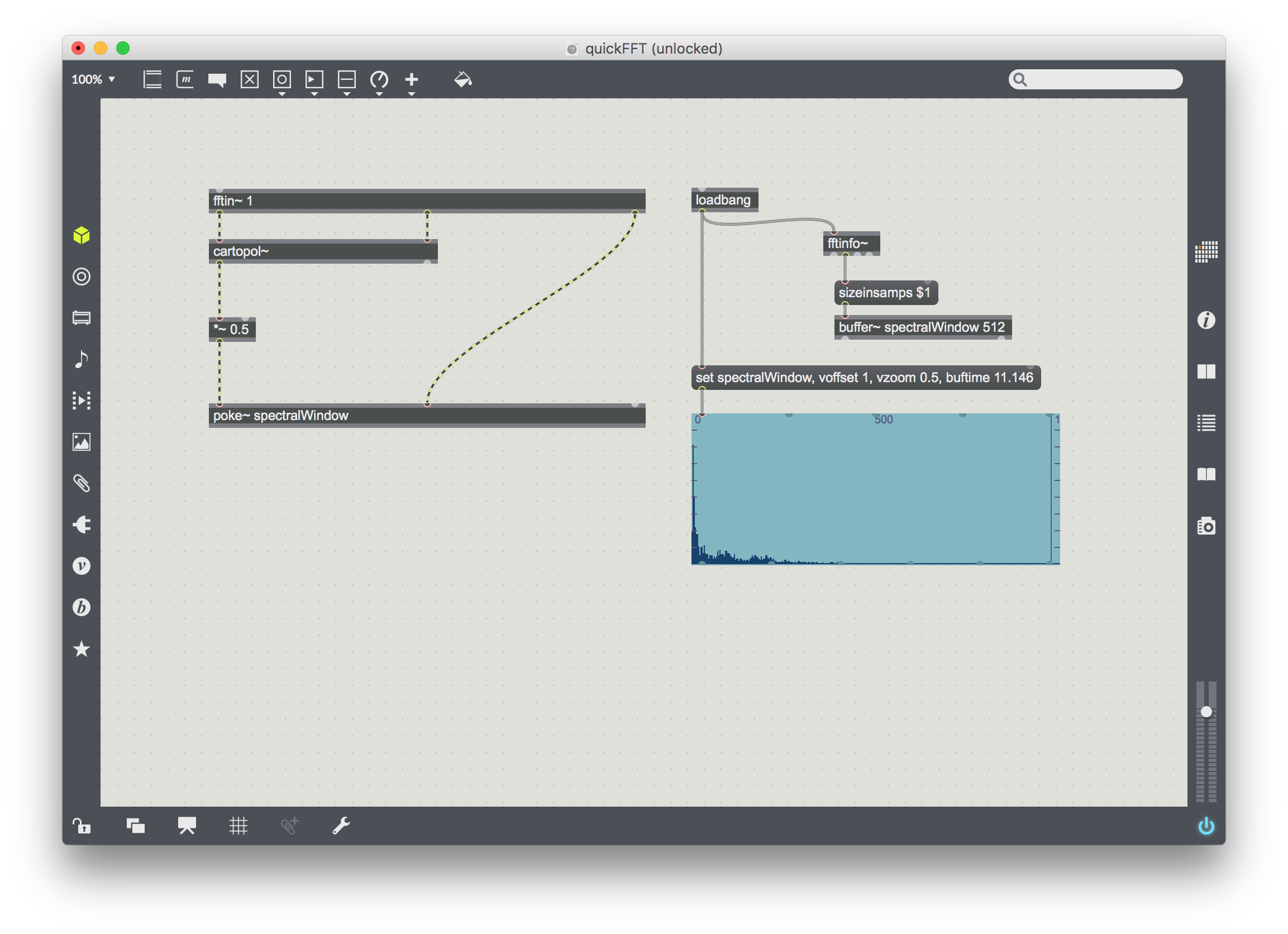
Download these for a very quick start on something that could go somewhere useful for you. I’m happy to make standalone versions of slightly more feature-rich FFT processing if you just want to use these for sound processing and exploration, let me know:
quickSpectralFilterWithGateDemo
Do some noise reduction with SoX
First you’ll need some noise, so extract a segment of noise-filled silence from your file and save it as a sound-file.
When you have this, you can open the terminal and make a noise profile of that sound
The 0.1 argument at the end of that line specifies how much noise reduction to apply, this number will need very careful listening before you’ve done a safe job on the noise reduction.
Download the related resources for the above:
noiseReductionExample