Lecture 07 – demonstrating interface control
One to one
Here, we take a simple model, where a fader is connected to a parameter in Max, directly. We’ll use the built-in mappings tools for this.
First we have to scale the values of the fader to something useful inside your patch. Then we map it to control our patch.
One to Many
Here we take a slightly more complex approach mapping one controller to several places at the same time. Again, we scale to something useful and remap the controller to different parameters.
One to Many, non-linear
here we control multiple parameters with the same controller in a non-linear fashion. We’ll do this using the Nodes object.
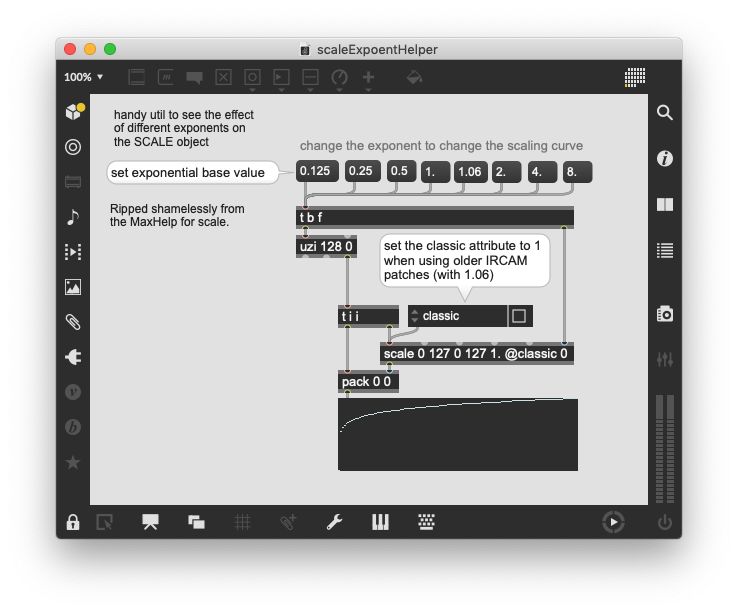
A note on exponents
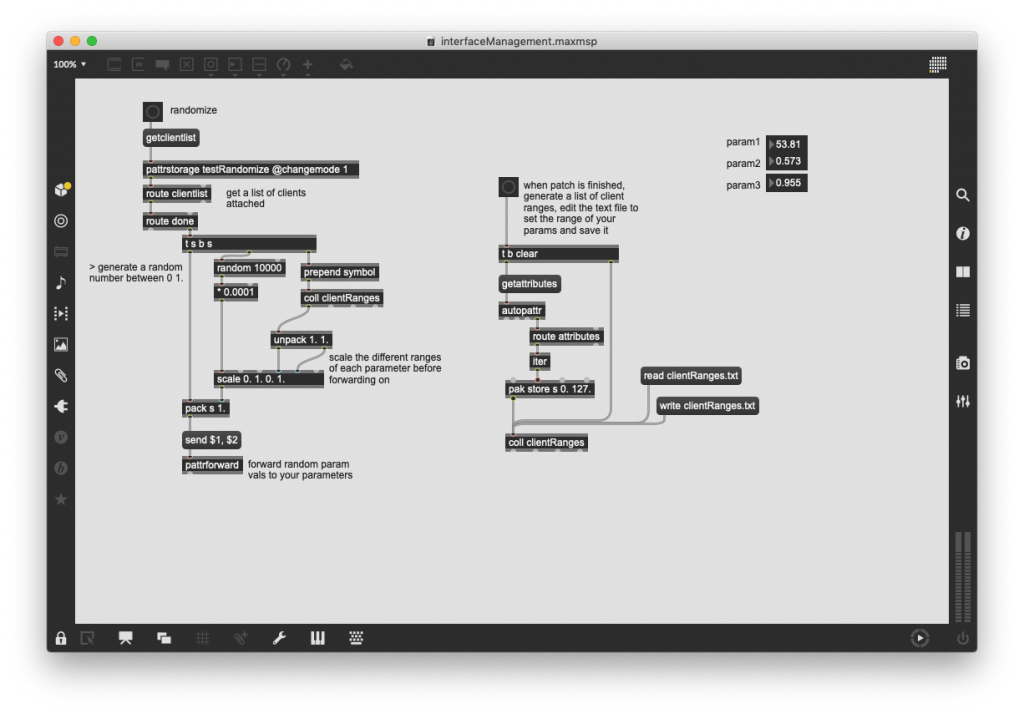
Randomize
To do this properly, you need to know the minimum and maximum of your parameter so that you can randomize within sensible boundaries. OR you randomise between 0-1 and then scale up locally within your patch.
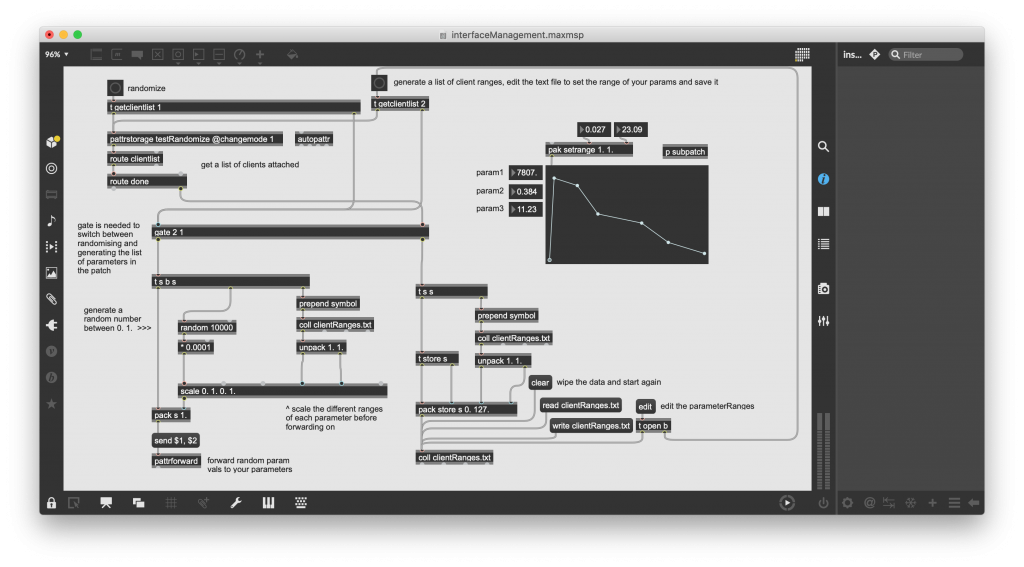
Edit to the above. It’s slightly more complex, but you can randomize and make lists of parameter ranges a little nicer is you follow the patch below.
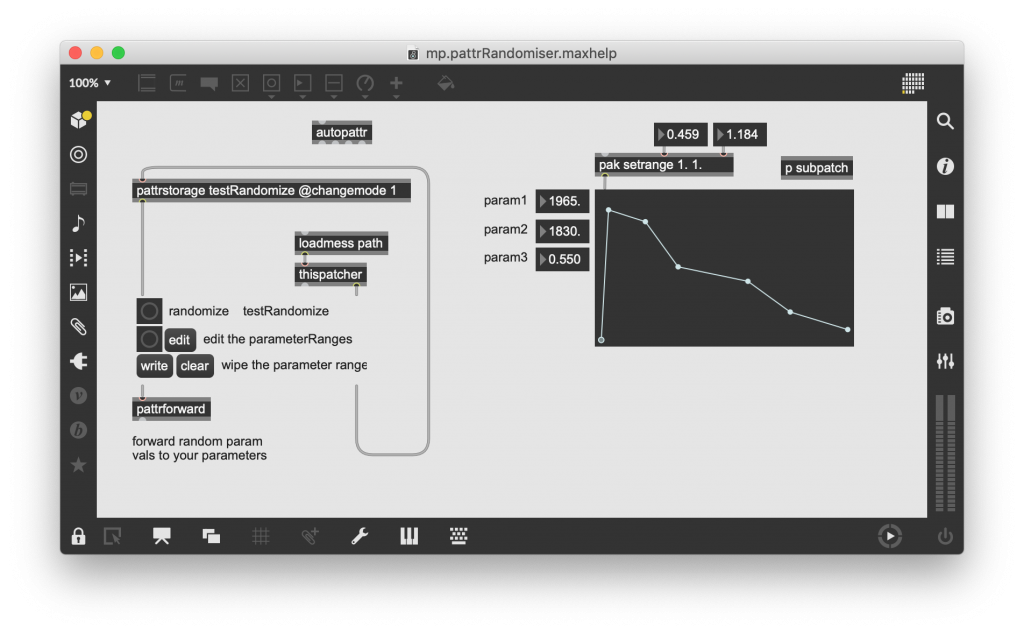
If you understand the above and tihnk you’d like to use a randomizer for your patch parameters in a patch. Here it is encapsulated into a an abstraction. Connect it to a pattrstoarage object, edit the parameter ranges and away you go. Automated randomizing across your whole set of parameters. This is a very good way of finding the tolerances and ranges of your patch that you like and discovering connections and sounds that you can’t get by trial and error.
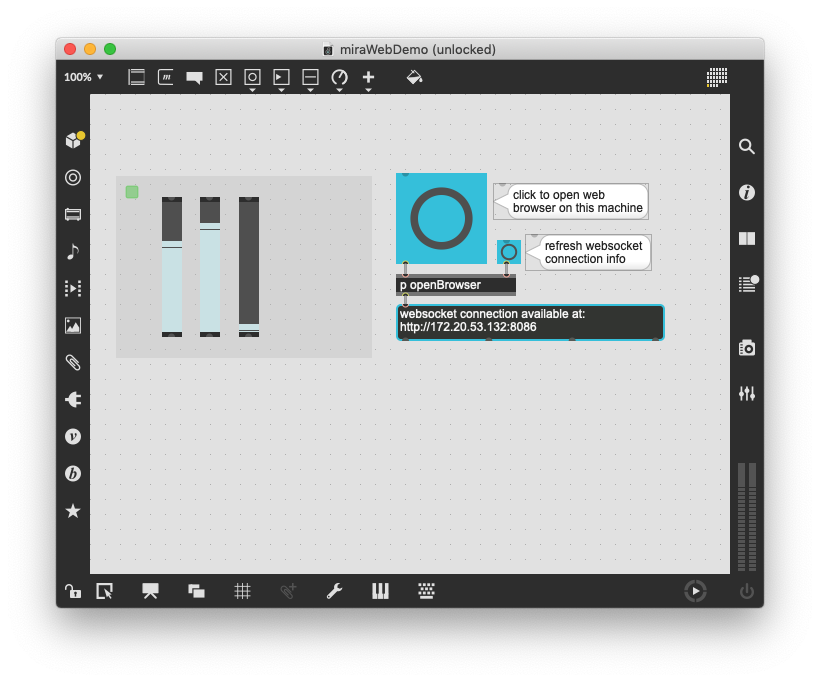
MiraWeb
- Place a miraweb over the interface objects in your patch
- connect to the patch using the URL provided by miraweb
- control your patch.
It should be possible to control your patch with another computer using the browser on that computer. This could be your mobile phone, a tablet or another laptop. Miraweb can do this for you.
OSC – open sound control
- This is a very powerful control protocol, implemented in most sensible audio software these days. Ideally, you’ll have both; control of a software system by midi and via this protocol.
- OSC will quickly turn your phone into a controller for MaxMSP. There are various free apps out there: OSC Controller by Adam Katz and oscHook seem OK, but there are plenty to choose from.
- Relies on network connection, can be local (i.e. using the network protocol within your own machine using localhost or 127.0.0.1 as the IP address. Or connecting to one or many devices on your network through a dedicated router… OR connecting to any computer in the world provided firewalls are open and you can push the data through.