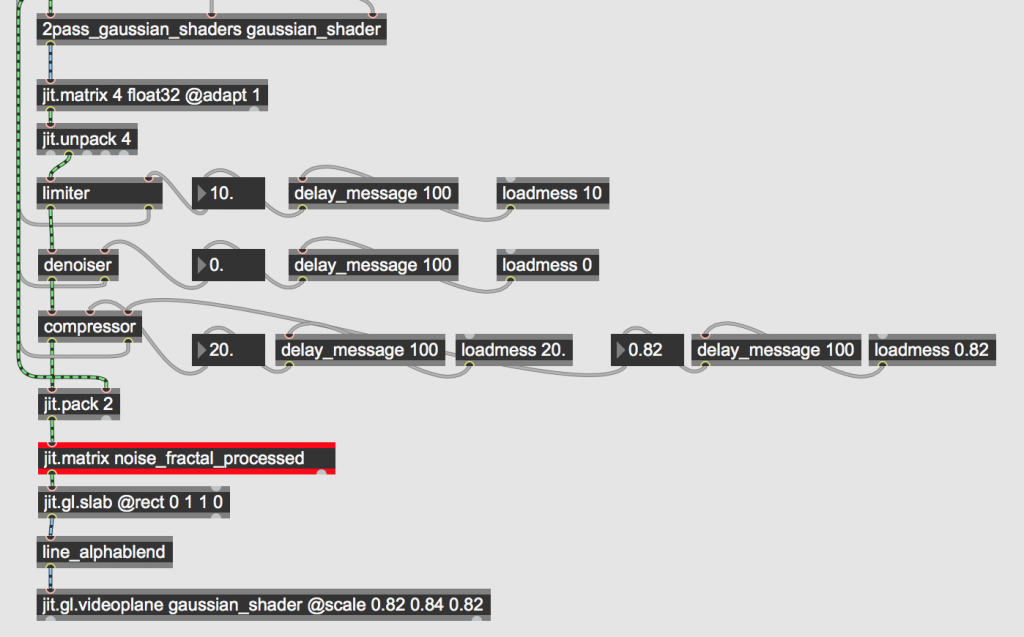
In building the ‘1.4.2 noise_fractal’ module, I have found that ‘jit.cl.noise’ is unusable in my version of Max (8.3.2), but it is usable in 7.3.2 – since I am running the later version I have resorted to using the conventional CPU-based ‘jit.noise’. Visual render of ‘1.4.2 noise_fractal’ was working, but not reproducing the audio from inside the processed DSTFT matrix, aside from the white noise being used in the shader file. I fixed this by unpacking the 2nd plane from the 4-plane ‘jit.matrix’ coming from ‘jit.gl.slab’ (reading the multiply shader file), followed by packing it into a 2 plane matrix with the phase information from the unprocessed DSTFT matrix at the top of the patch.
In ‘1.4.1 gaussian_blur’, I tried to flip the dimensions of the ‘jit.world’ window in ‘jit.gl.videoplane’ and then subtract the y values from the mouse click from the dimension of the y-axis (i.e. invert these too), however when scaling the window down, the circle click on the ‘jit.window’ became less and less accurate. Although I was trying to avoid passing matrix information through an unnecessary number of ‘jit.gl.slab’ objects within the SLAB process, I resorted to passing it through one and flipping the y-axis through the @rect attribute.
The new matrix unpacking and dimension resizing routine in ‘1.4.1 gaussian_blur’
Week 10
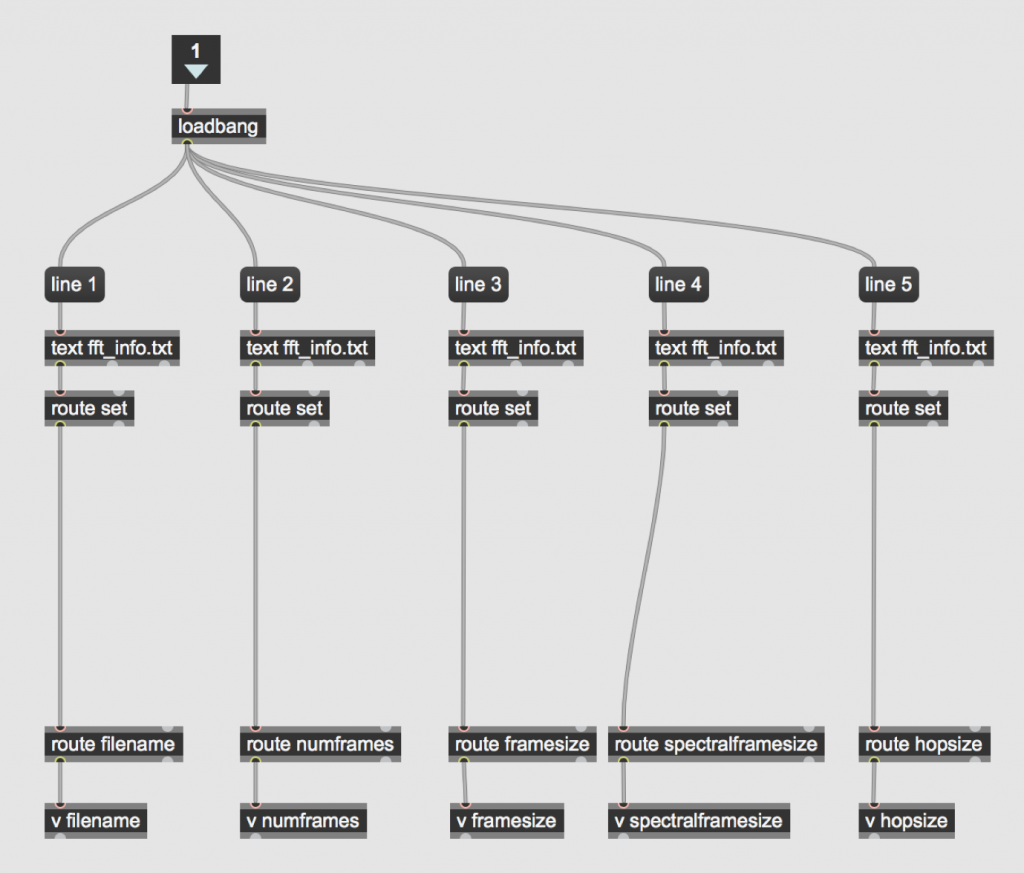
This week I plan to implement a feature across the whole project where information about the unprocessed DSTFT matrix (file name, number of frames, frame size, spectral frame size and hop size) is saved as a text file, and read whenever a spectral effect is opened.
‘text_file_read’ abstraction
The beginning of this week has been focused on refining the playback abstractions. I have integrated Tadej Droljc’s poking ‘holes’ with ‘jit.nosie’ abstraction into my ‘frame_interpolation_playback’ abstraction. I have also drawn inspiration from Jean Francois Charles’ description of transient-based playback speed alteration in his article and designed my own transient playback abstraction. I decided not to investigate Francois-Charles freeze frame playback abstractions as it would not highlight the audio processing techniques in my project. Over the last few days I have experienced some issues in playback speed management given user-specified stationary and transient rate. I fixed this by using ‘send~’ and ‘receive~’ objects to send the updated frame number sync into the ‘jit.peek~’ reading the 1d_transients matrix inside the ‘transient_playback’ abstraction.
I have implemented the blur_water global transformation, inspired by Tadej Droljc’s abstraction ‘Blur Water Effect’. I have created the ‘line_alphablend’ abstraction from ‘circlepoint_&_line_alphablend’ to just display the line, as a circle click point in this context is useless because the information in the ‘jit.window’ is distorted so much by the blur water effect.
I have also decided that with the spectral_smear abstraction, I would not give the user the option to align the playback head with the smeared region, as the difference between normal data and smeared data would not be highlighted.
In building the ‘time_scrambler’ abstraction, I added 256 y-axes into the scrambled matrix that would reposition the matrix ‘noise_fractal_unprocessed’, rather than 128 (which Tadej Droljc did), as I wanted greater accuracy when the frequency bins would be upscaled when passed into the ‘jit.repos’ object. I knew this would come at the cost of computer memory, but since making the decision to compartmentalise the project in such a modular fashion CPU power has been less of an issue.
However, I have since realised this won’t work, as 257 is longer than Max’s max list length (256), meaning that a completed list of 257 was not being passed in completion to the right hand-side ‘jit.fill’ in time_scramble_process – I have resorted to 129.
The randomly scrambled matrix which repositions the unprocessed DSTFT matrix ‘noise_fractal_unprocessed’ in ‘time_scrambler_process’
Week 11
Objective for the week:
1. Add limiter, denoiser and compression to blur_water, spetral_smear and time_scramble.
Having completed these objectives, I am going to tidy up all pre-existing patches into a presentation mode format before building more modules. I have also gotten rid of manual playback option in ‘blur_water’ as it isn’t cohesive in the grand scheme of the project for one spectral effect abstraction to offer this playback option while others don’t.
Inside ‘1.3.1 draw_mask’, I considered implementing the mask draw and save elements in the same patch as where the mask will be applied to the spectrum, I thought it best to stick with my design plan of having the project as compartmentalised as possible. I have decided to incorporate both Droljc’s rectangular draw and free draw in the same patch, as I hope to be able to expand on his work and allow the user to draw both rectangles and free shapes in to the same render window. I have fixed an issue with ‘free_draw_spectrogram’ and ‘mask_render’, where when the user pressed ‘clear all’, the last remain shape the user had drawn in free_draw_spectrogram remained in mask_render. After ensuring all ‘jit.op’, ‘jit.pack’ and ‘jit.matrix’ objects were cleared (to no avail), and trying to manually reset the ‘jit.gl.sketch’ object (‘reset’ did nothing and ‘glclear’ turned the render window red) I found the solution to be to make the patch draw a 1-pixel shape at 0 0 before the render window is cleared.
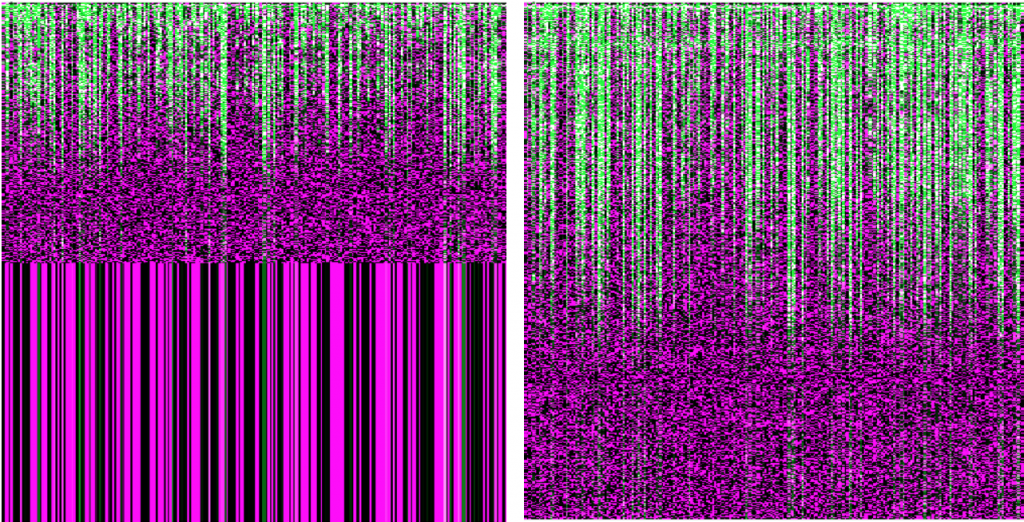
Over the last few days I have also had an issue with ‘time_scramble_process’, where following processing in ‘jit.repos’, the time scrambled matrix was only taking up half of the vertical height of the window. This was fixed by setting the ‘jit.repos’ @interpbits flag to 1.
‘jit.repos’ output in ‘time_scramble_process’ when @interpbits flag is set to 0 on the left, versus when it was set to 1 on the right
Week 12
This week I have begun to build ‘1.6.1 frequency warp’. Tadej Droljc’s version of this patch is very complex with little room for personal improvement from myself. I have begun to investigate if I am able to use the ‘exponent_generator’, ‘linear_generator’ and ‘sine_generator’ from ‘1.6.3 filter_mask’ to generate element and number pairings for the ‘frequency_draw’ bpatcher.
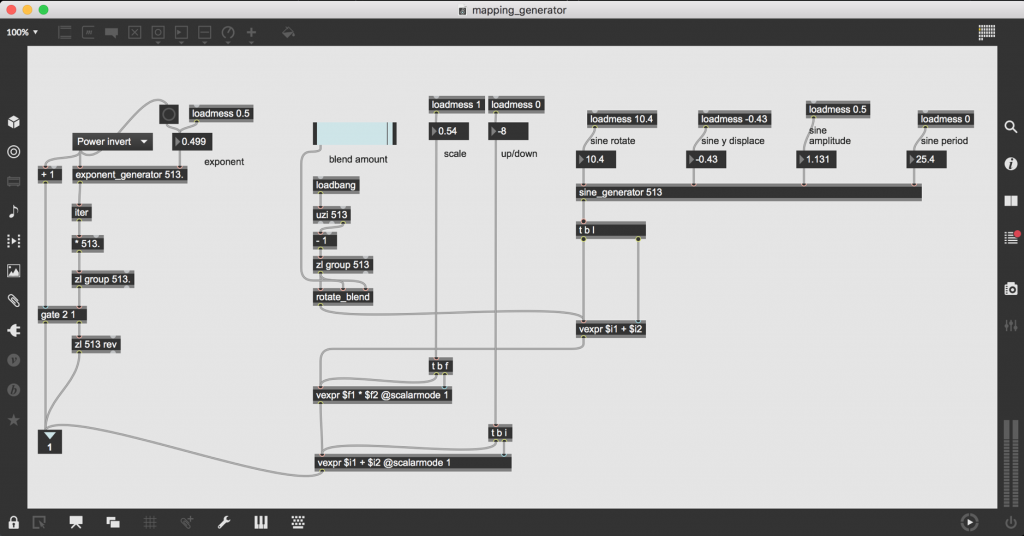
A few days later I realised I had to abandon this idea. It seems that passing the numbers through gates and the aforementioned abstractions slows them down to a point where they don’t exit the patch at the same time. Below is the structure I have decided to no longer run with:
The abandoned attempt at incorporating exponent_generator and sine_generator into a mapping abstraction for frequency_warp
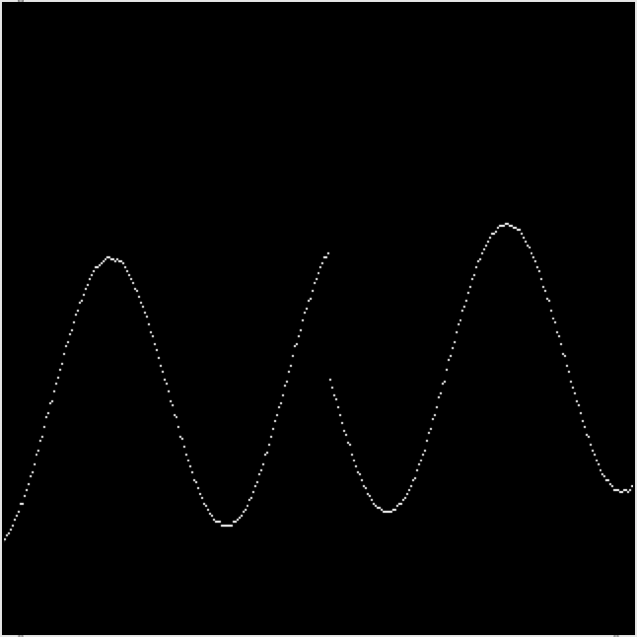
After some consideration, I am abandoning the sine mapping in the generation abstraction entirely. The sine waves generated are more often than not, disjointed;
Disjointed sine wave, output by attempt at constructing a mapping abstraction for the bpatcher ‘frequency_draw’ in ‘1.6.1 frequency_warp’.
Yesterday I got the ‘frequency_warp_process’ abstraction working, but to do so I had to decrease the size of the y-axis ‘drawY’ matrix to 256 as it didn’t seem to be accepting to 512-long lists (this will definitely have something to do with Max’s max list length being 256). The result in downscaling this draw transfer matrix means that the up-sampling to a 1024 bin matrix is more dramatic, leading to a matrix of lower resolution (in the image below. Today I managed to fix this by manually setting the max size of the ‘zl’ list objects in the abstraction 513, leading to a upscaled matrix of higher resolution.
Low resolution frequency warp in the left 2/3 of the image, compared with the higher-resolution unprocessed DSTFT information in the right 1/3.
I am now beginning to incorporate mask implementation in pre-existing patches. There seems to be an issue with playback speed across all module (I think it has something to do with each abstraction’s ‘snapshot~’ object output not being sent consistently enough).
Tried to use alphablend in openGL in the ‘mask_application abstraction, but ‘jit.gl.pix’ doesn’t allow for a change in alphablend mode like the ‘jit.alphablend’ does so I cannot use the openGL alphablend. However I was able to use the addition operation shader with ‘jit.gl.slab’ instead of the CPU based ‘jit.op’ addition operator.
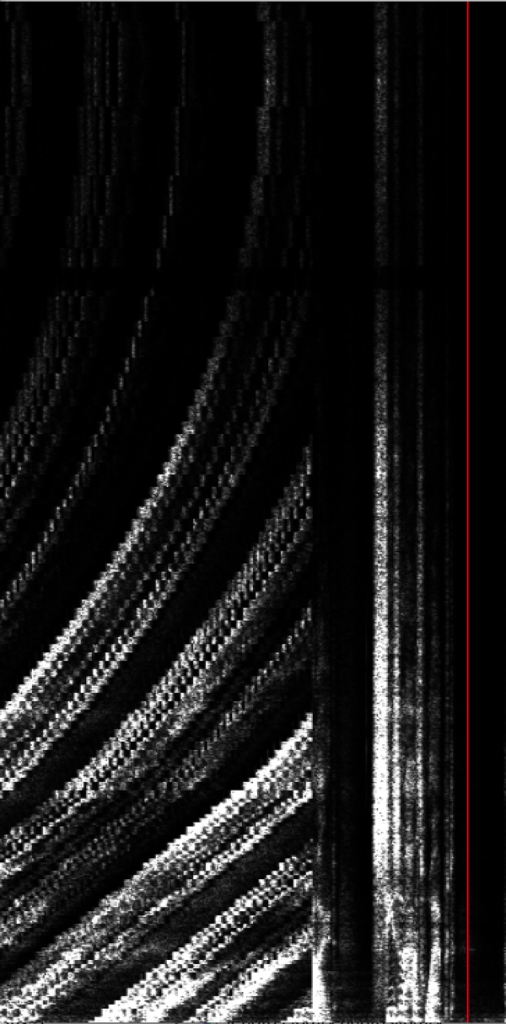
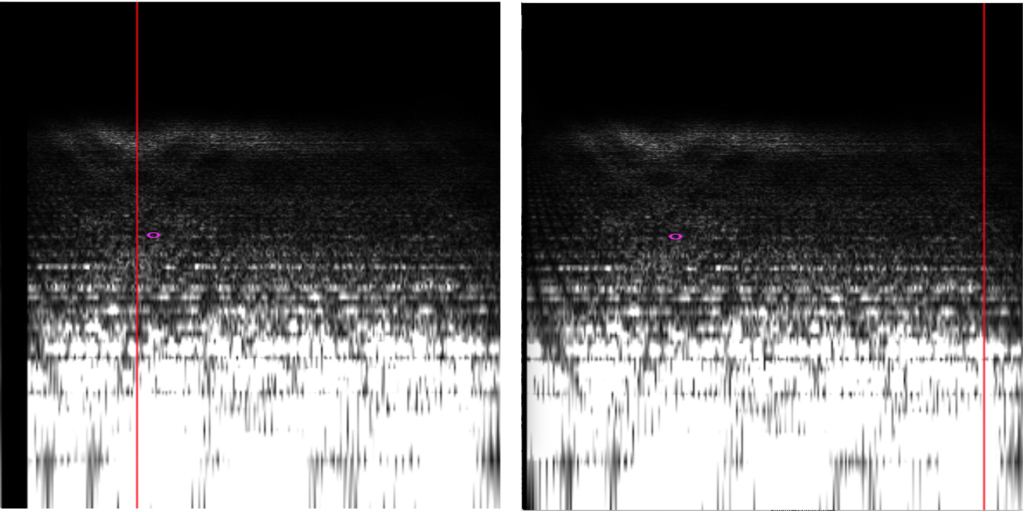
In this final phase of the project, my first port of call is to ensure all the abstractions work when samples of differing lengths are loaded. There is an issue in the main window and its pfft~ ‘stftmatrix_fill’ where the ‘play~’ object which plays the sample does not start at the same time as the matrix was being filled with DSTFT data. This meant that there would be a blank gap at the beginning of matrix (which was a slightly different size every time the matrix fill operation would be repeated). I found the solution to this to be to delay the initialising of the matrix record by 100 milliseconds after the ‘play~’ object plays the audio sample.
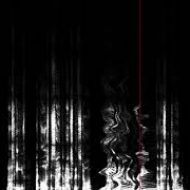
Logarithmic spectrogram of the matrix where horizontal sync was not matched (notice the blank spot to the left of each image)
Blur_water with custom masks is running very slowly. Time_scramble custom masks also running very slowly. I have fixed these solutions by decreasing the rate at which the spectral effects refresh.
Due to extremely variable loading times for Max’s MSP to initialise, I am going to give the user the option to manually loadbang in each patch. Going through every patch ensuring the @windowposition on the jit.world/ jit.window object is correct.
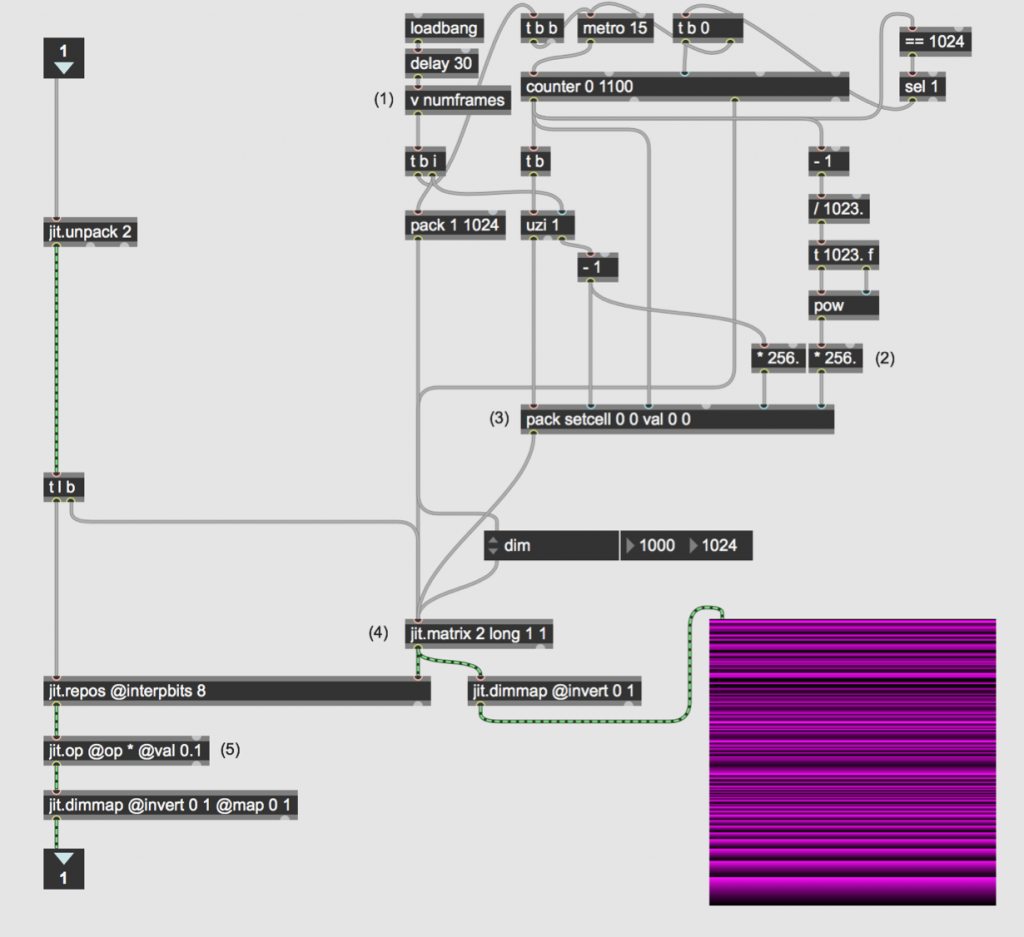
‘logarithmic_spectrogram’ and mask_draw were not working on other computers, I realised this is because connecting the two ‘uzi’ objects in tandem means the system has to perform millions of operations in a fraction of a second, I am investigating whether filling a 1×1024 matrix with logarithmically scaled data, and then stretching that to frame number is an option. This doesn’t work as the matrix ends up horizontally stretched. Below is the structured that I have implemented as a solution to this. A ‘counter’ object is much less intense on the CPU than the previous ‘uzi’ object.
New ‘logarithmic_mapping’ abstraction where a ‘counter’ object is used at the top instead of an ‘uzi’